7.2
Developer skills
Examples with a Run button are editable. Underlined terms open a short definition.
Developer Skills
HOW TO FAIL 🤦 AT LEARNING HOW TO CODE
- 💥 He didn’t have a clear goal at the beginning of his journey.
- 💥 He started by watching courses and reading tutorials, but he would just copy. the code without caring how it works. Sometimes he would just copy and paste code!
- 💥 He didn’t reinforce what he was learning by doing small challenges or taking notes.
- 💥 He didn’t practice coding, and didn’t come up with his own project ideas.
- 💥 He quickly became frustrated when his code was not perfectly clean or efficient.
- 💥 He lost motivation because he thought he could never know everything.
- 💥 He was learning in isolation.
- 💥 After finishing a couple of courses, he thought he now was a web developer and could start applying to jobs. But he couldn’t even build an app on his own!
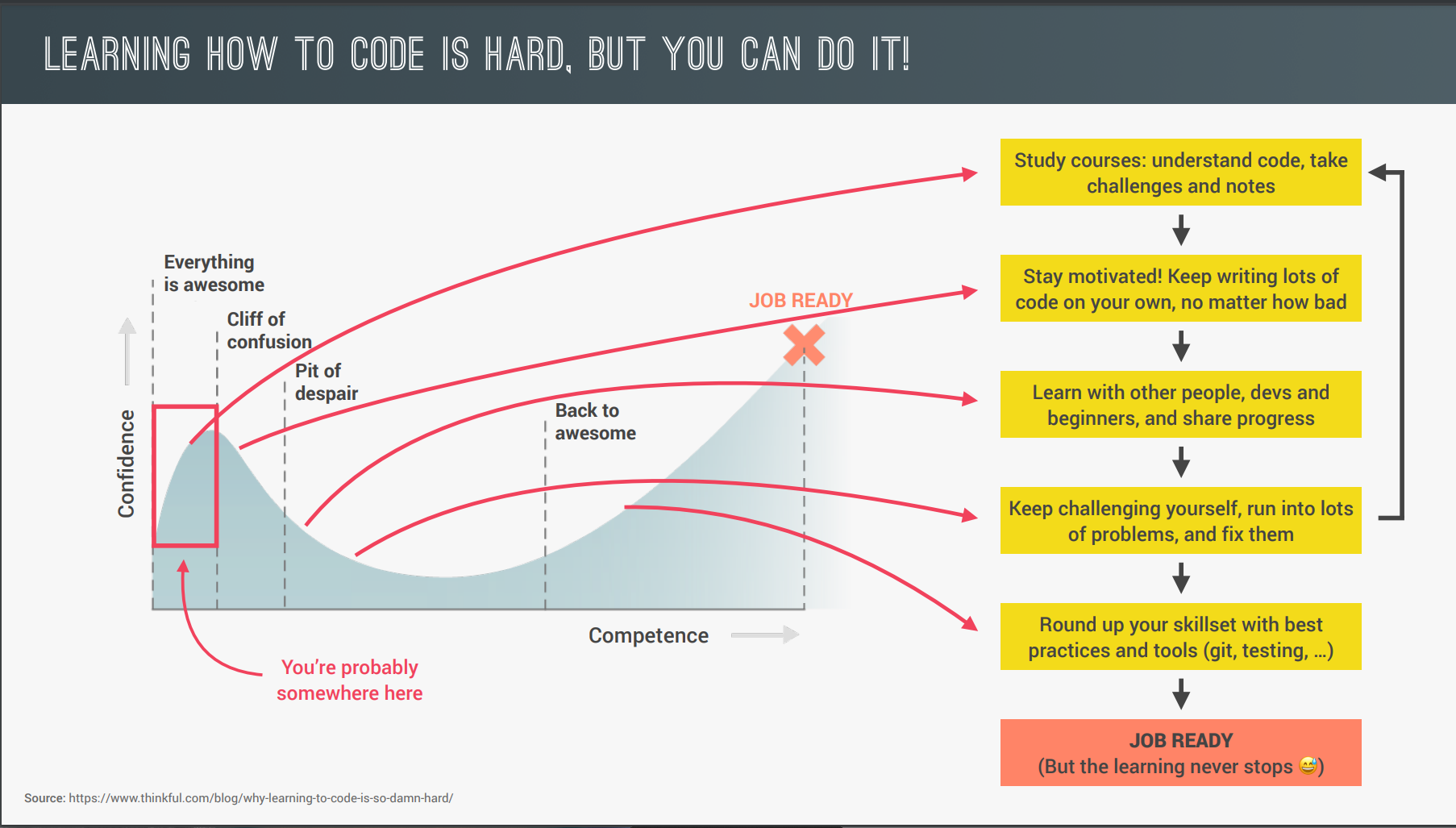
HOW TO SUCCEED 🎉 AT LEARNING HOW TO CODE
-
💥 He didn’t have a clear goal at the beginning of his journey.
- 👌 Set a specific, measurable, realistic and time-based goal
- 👌 Know exactly why you are learning to code: Switching careers? Finding a better job?
- 👌 Imagine a big project you want to be able to build!
- 👌 Research technologies you need and then learn them.
-
💥 He would just copy the code without caring how it works. Sometimes he would just copy and paste code!
- 👌 Understand the code that you’re studying and typing
- 👌 Always type the code, don’t copy-paste!
-
💥 He didn’t reinforce what he was learning by doing small challenges or taking notes.
- 👌 After you learn a new feature or concept, use it immediately.
- 👌 Take notes
- 👌 Challenge yourself and practice with small coding exercises and challenges.
- 👌 Don’t be in a hurry to complete the course fast!
-
💥 He didn’t practice coding, and didn’t come up with his own project ideas.
- 👌 Practicing on your own is the most important thing to do.
- 👌 This is NOT optional! Without practice outside of courses, you won’t go anywhere!
- 👌 Come up with your own project ideas or copy popular sites or applications, or just parts of them in the beginning.
- 👌 Don’t be stuck in “tutorial hell”
-
💥 He quickly became frustrated when his code was not perfectly clean or efficient.
- 👌 Don’t get stuck trying to write the perfect code!
- 👌 Just write tons of code, no matter the quality!
- 👌 Clean and efficient code will come with time.
- 👌 You can always refactor code later.
-
💥 He lost motivation because he thought he could never know everything.
- 👌 Embrace the fact that you will nesver you know everything.
- 👌 Just focus on what you need to achieve your goal!
-
💥 He was learning in isolation.
- 👌 Explain new concepts to other people. If you can explain it, you truly understand it!
- 👌 Share your goals to make yourself accountable.
- 👌 Share your learning progress with the web dev community (#100DaysOfCode, #CodeNewbie, #webdev, etc).
-
💥 After finishing a couple of courses, he thought he now was a web developer and could start applying to jobs.
- 👌 The biggest misconception that people have!
- 👌 Courses are an amazing starting point, but are only the beginning of your journey.
HOW TO FAIL 🤦 AT SOLVING PROBLEMS
-
WHENEVER JOHN ENCOUNTERS A PROBLEM:
- 💥 He jumps at the problem without much thinking.
- 💥 He implements his solution in an unstructured way.
- 💥 He gets stressed out when things don’t work.
- 💥 He is too proud to research solutions.
-
FIX
- 💥 Stay calm and slow down, don’t just jump at a problem without a plan.
- 💥 Take a very logical and rational approach (programming is just logic, in the end…).
- 💥 Use my 4-step framework to solve any problem.
4 STEPS FRAMEWORK TO SOLVE ANY PROBLEM
- Make sure you 100% understand the problem. Ask the right questions to get a clear picture of the problem.
- Divide and conquer: Break a big problem into smaller sub-problems.
- Don’t be afraid to do as much research as you have to.
- For bigger problems, write pseudo-code before writing the actual code.
WHAT IS A SOFTWARE BUG?
- 💥 Software bug: Defect or problem in a computer program. Basically, any unexpected or unintended behavior of a computer program is a software bug.
- 💥 Bugs are completely normal in software development!
- 💥 Debugging: Process of finding, fixing and preventing bugs.
THE DEBUGGING PROCESS
- Identify
- 👉 During development
- 👉 Testing software
- 👉 User reports duringproduction
- 👉 Context: browsers,users, etc.
- Find
- 👉 Developer console (simple code)
- 👉 Debugger (complexcode)
- Fix
- 👉 Replace wrong solution with new correct solution
- Prevent
- 👉 Searching for thesame bug in similar code
- 👉 Writing tests usingtesting software
Your last opened chapter is saved in this browser when local storage is available.
Discuss this section
Questions, corrections or a better example? Comments use GitHub Discussions.